Small File Encrypter Plus
Strong encryption and 7 work panels make it easy to protect your small files. Select a work panel (1-7), navigate to a folder and select the files to protect. Enter a password and click "Encrypt" link. Files encrypt using our TBT-4 Large Key Encryption Engine. Support for 1-100 Mb files.
Important:
Your private password is your responsibility, and must be respected and protected. A hard copy should be kept privately, as any files encrypted, cannot be retrieved without it, and will be unrecoverable.
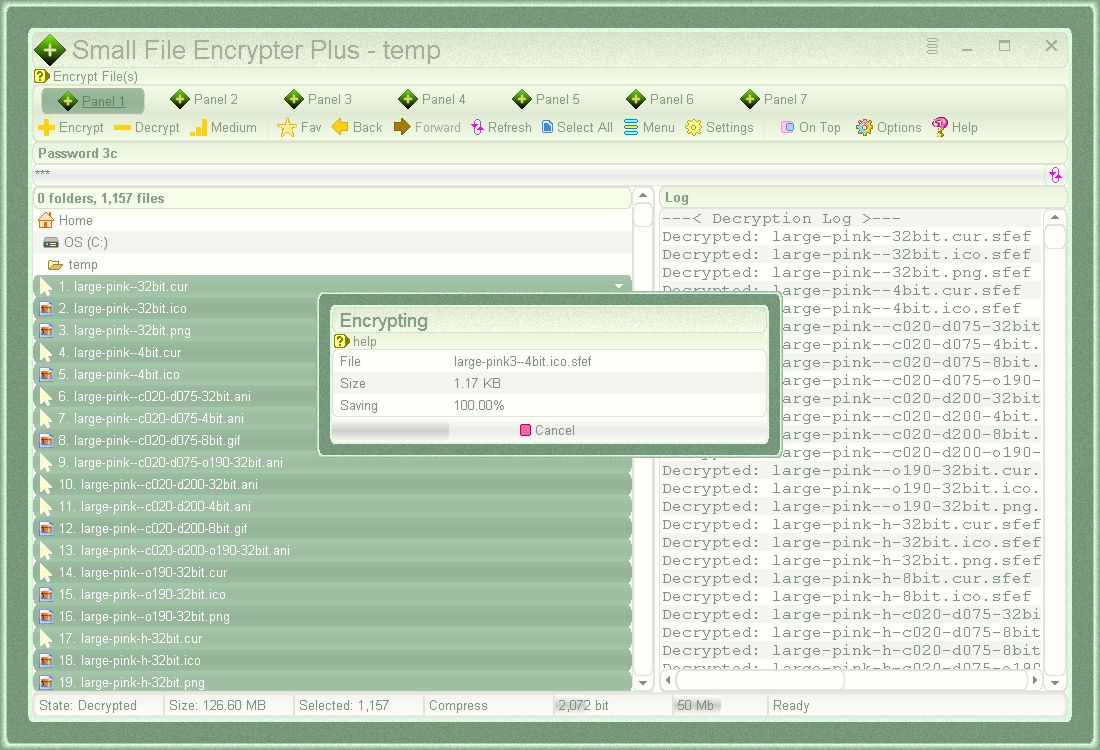
Encrypting selected files in work panel 1
- 7 work panels
- High quality encryption - custom built cryptographic core TBT-4 Large Key Encryption Engine
- Adjustable Encryption Strength: Variable (64 bit+, based on length of password), Nominal 480 bit, Low 984 bit, Medium 2,072 bit, High 4,056 bit and Extreme 8,000 bit
- Use your own private password (secret key) - variable 3 to 1,000 characters
- Compression option for smaller encrypted file sizes
- Variable maximum file size support: 1, 5, 10, 20, 35, 50, 75 or 100 Mb
- Realtime status bar information of: State, Size, Selected, Compress, Encryption Strength, Maximum File Size, Status
- Log panel - individual file status for encryption / decryption
- On Top: Position above all program windows
- Drag and Drop support - drag file/folder onto program to open containing folder
- Simple and easy to use
- Lightweight and customisable graphical user interface (160+ color schemes, framed, font, zoom, cursor and many more options)
- Portable - No installation/alteration to your operating system
- Built-in Help - View detailed information directly in program
- No Internet Required - Run completely offline
- Free To Use - 100% freeware, no cost, no membership, no nags, no strings attached
Information
App Name
Small File Encrypter Plus
Version
1.00.120
Type
Desktop App (Plus Edition (7 Work Panels))
License
Freeware
Status
-
Release Date
8th October 2022
Portable App
Yes
Code Foundation
4th Generation (Gossamer for GUI)
Operating System(s)
Windows All and Wine for Linux and Mac
(not Win10s/11s)
SHA256 Checksum
for "smallfileencrypterplus.exe"
F4BC35EC53C13E16AC1029A6DFF4D1D03D3A91998510B0F431421F9426AD390F
Downloads
Images
Encrypting selected files in work panel 1
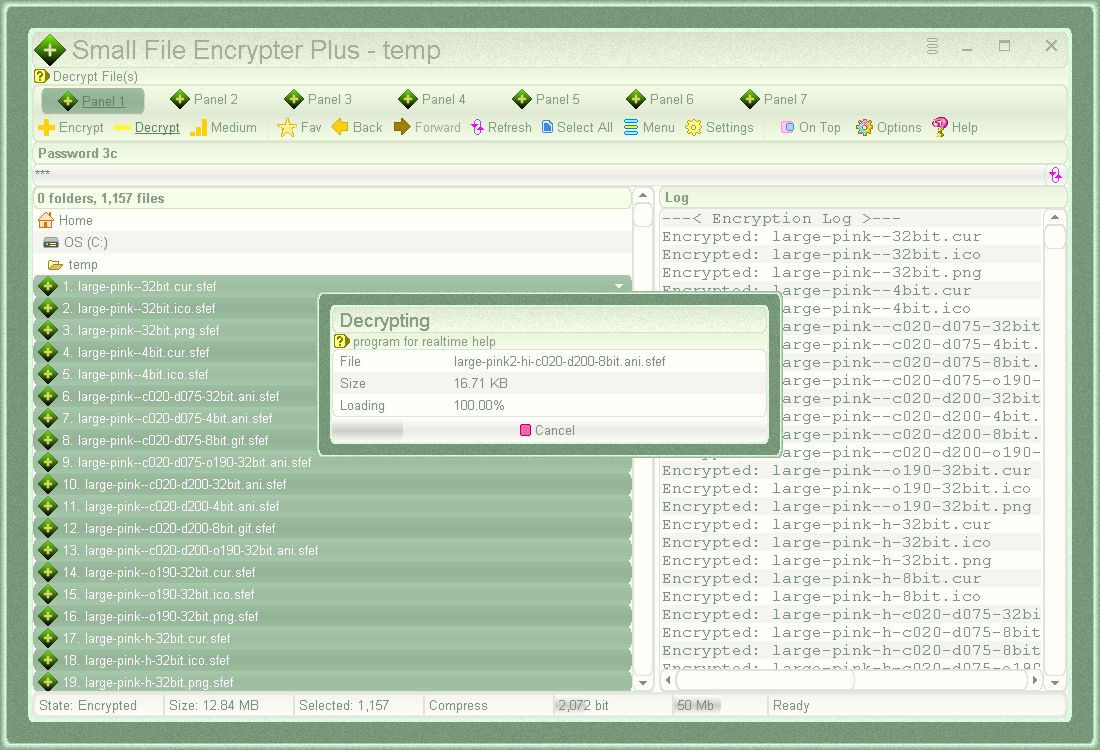
Decrypting selected files in work panel 1
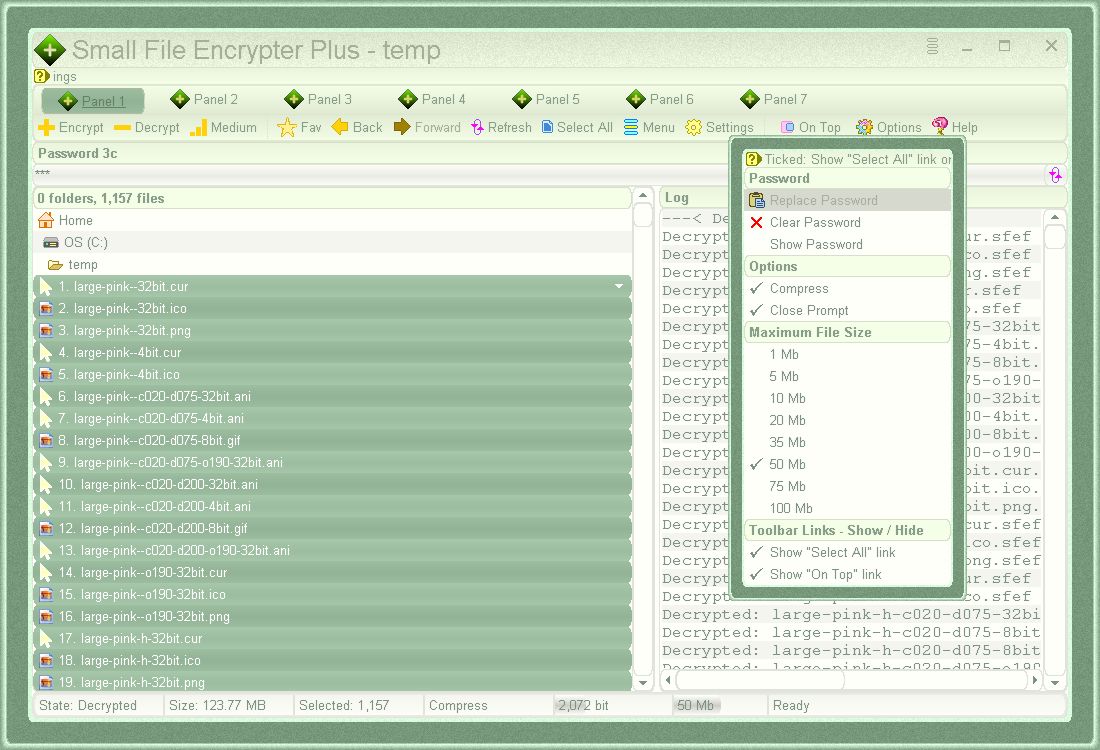
Showing Settings menu in work panel 1
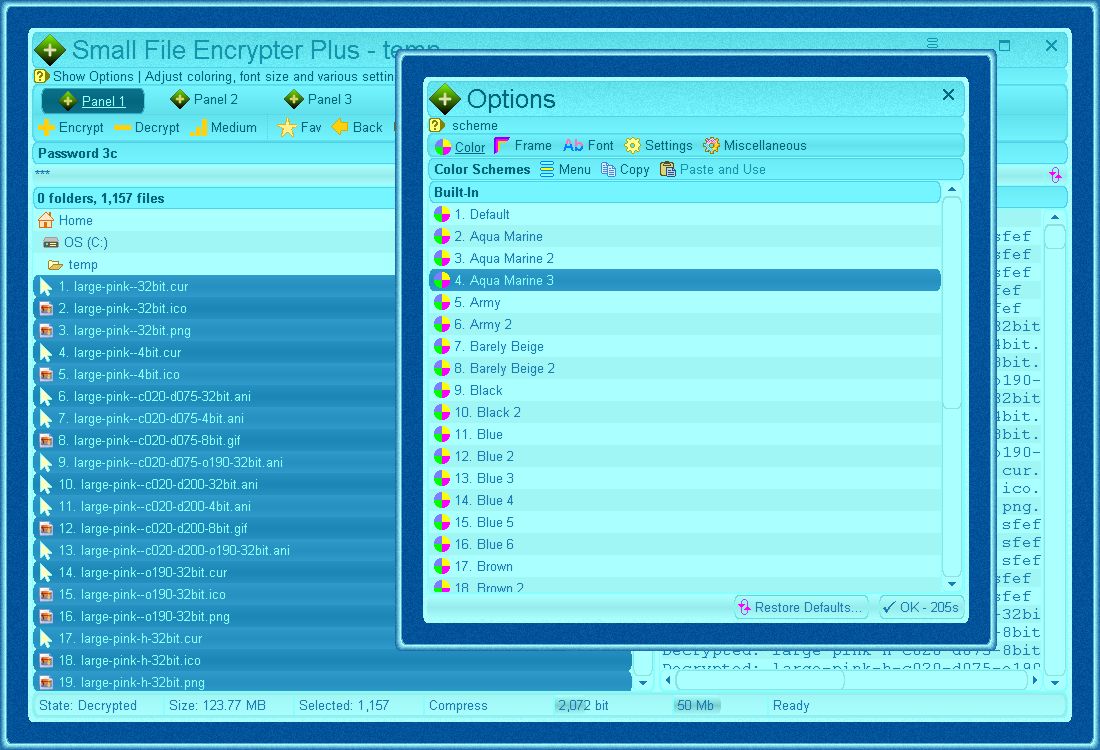
Easily change the user interface color - click "Options" link from top toolbar to display "Options" window and select a new color scheme
Reference
License AgreementCompany name and all software products contained on our websites are the intellectual property, copyrights and trademarks of Blaiz Enterprises.
All title, copyrights and intellectual property rights in and to the software product and content, and any copies thereof, are the property of Blaiz Enterprises.
License:
Blaiz Enterprises grants to you the right to use the software product. You may not reverse engineer, decompile or disassemble the software product. Any alteration or attempt to alter the original software product will cause a fatal error to occur and the product to become dysfunctional.
Indemnity:
Any use of the software product is at your own risk. Blaiz Enterprises disclaim all warranties and conditions, either expressed or implied. In no event shall Blaiz Enterprises be liable for any special, incidental, indirect, or consequential damages (including, without limitation, damages for loss of business, profits, business interruption, loss of business information, or any other pecuniary loss) arising out of the use of or inability to use the software product.
⏶


 smallfileencrypterplus.exe (1.29 Mb)


 Contact Us
Privacy Policy
Contact Us
Privacy Policy